Speakers List & Speaking
Your dashboard shows the active agenda item's General Speakers' List (and, if the chair has opened one, a Point of Information queue) as soon as debate is open.
What you see
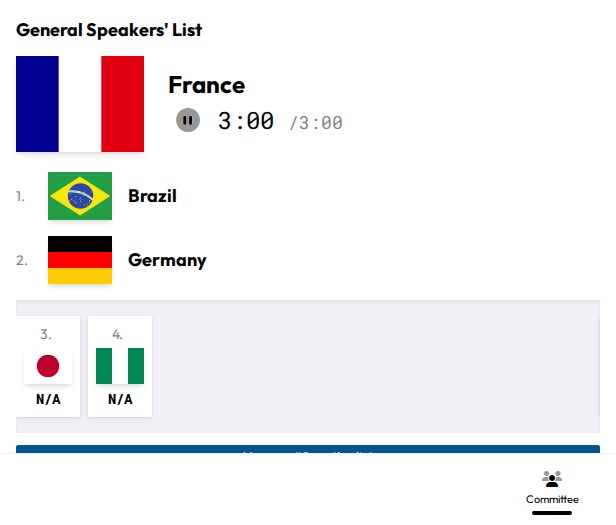
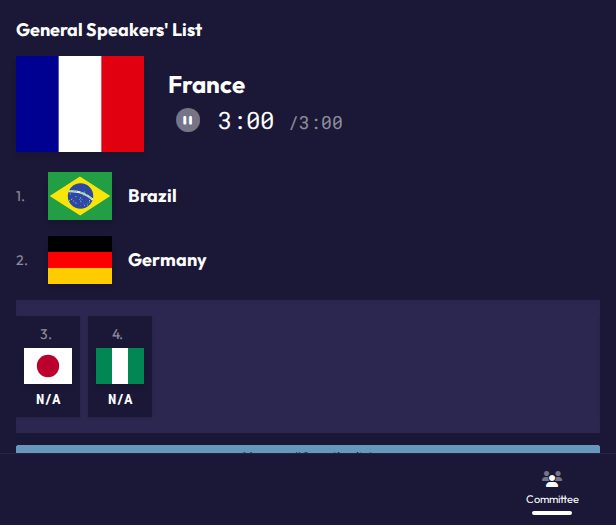
For each open list, your dashboard shows:
- Current speaker: who's speaking right now.
- The queue: everyone waiting, in order.
- Speaking time: the timer counting down for the current speaker. When it hits zero, the timer switches to overtime and counts up.
This is the same information shown on the room's shared projector screen, so you're always in sync with what everyone else in the room sees.
Adding yourself to the list
Whether you can add yourself depends on a setting the chair controls for the committee (Self-add to Speakers List). When it's enabled:
- On your dashboard, find the speakers list (or Point of Information list) card.
- Click Add me to list.
- You're added to the bottom of the queue.
If self-add is off, ask the chair to add you the way your committee has agreed on (e.g. placards).
You can't add yourself if:
- The list is closed: the chair has stopped taking new names for now. The card shows "The list is closed".
- You're a delegate and not marked present: the card shows "You must be marked as present to add yourself" (see Attendance). This check doesn't apply to non-state actors.
Tracking your place in line
Once you're on a list, your card shows either:
- You're up!: it's your turn to speak right now.
- You are #N on the list: your place in the queue, so #1 means you're next. It updates live as speeches happen.
You can leave at any time with Remove from list, even after the chair has closed the list.
Points of Information
Some committees run a separate "Point of Information" queue alongside the general speakers list, typically used for brief questions to the current speaker rather than full speeches. It works the same way: add yourself, see your position, and get called when it's your turn.
Spectators
If your role is Spectator, you can see the speakers list and current status but cannot add yourself to any list.